

LTC
Viewer, generator, and playback.
Decode from Core Audio inputs, generate LTC WAV files, route playback to a chosen output, save setlists, and export timecode notes.
- Selectable audio I/O
- Persistent setlists
- Fullscreen clock
Native macOS tools for live video
Generate and decode LTC, build playback setlists, create precise test patterns, and plan unusual rasters without leaving one application.
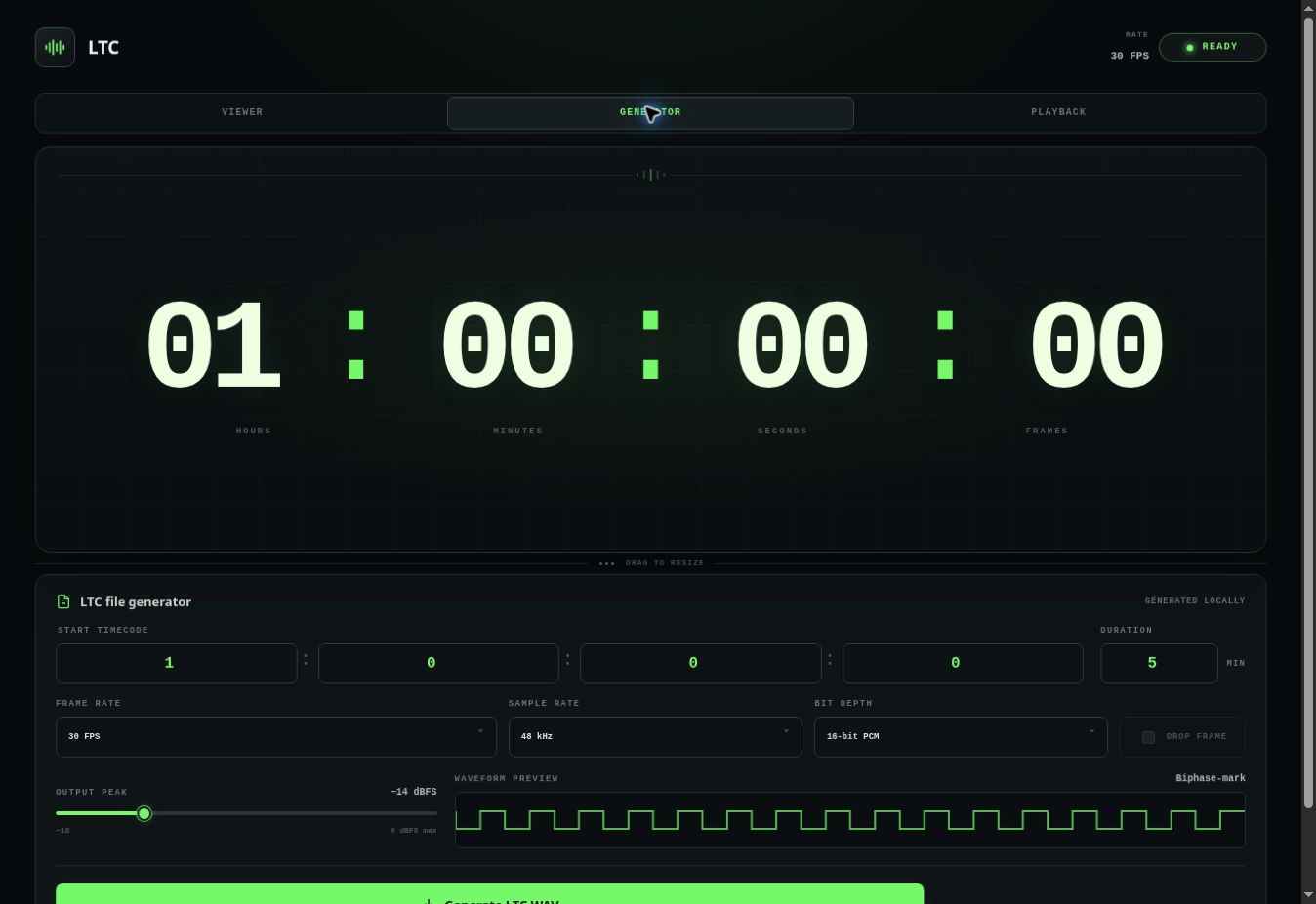
LTC · Generator
Generate a clean LTC file in seconds.Set timecode, frame rate, duration, sample rate, bit depth, and output level from one focused view.LTC
Decode from Core Audio inputs, generate LTC WAV files, route playback to a chosen output, save setlists, and export timecode notes.
Video Utility
Build multi-grid LED canvases, save custom LED products, create still or motion test patterns, add sync beeps, and export exact PNG or MP4 files.
Before you install
This beta requires macOS 13 Ventura or newer. Audio is processed locally on your Mac; the application does not upload your signal.

Private beta · 0.2.11
Apple silicon · macOS 13 or later · Developer ID signed and notarized
Feedback
Useful reports include your Mac model, macOS version, audio device, the tool you were using, and what happened.
Feedback link coming before launch